
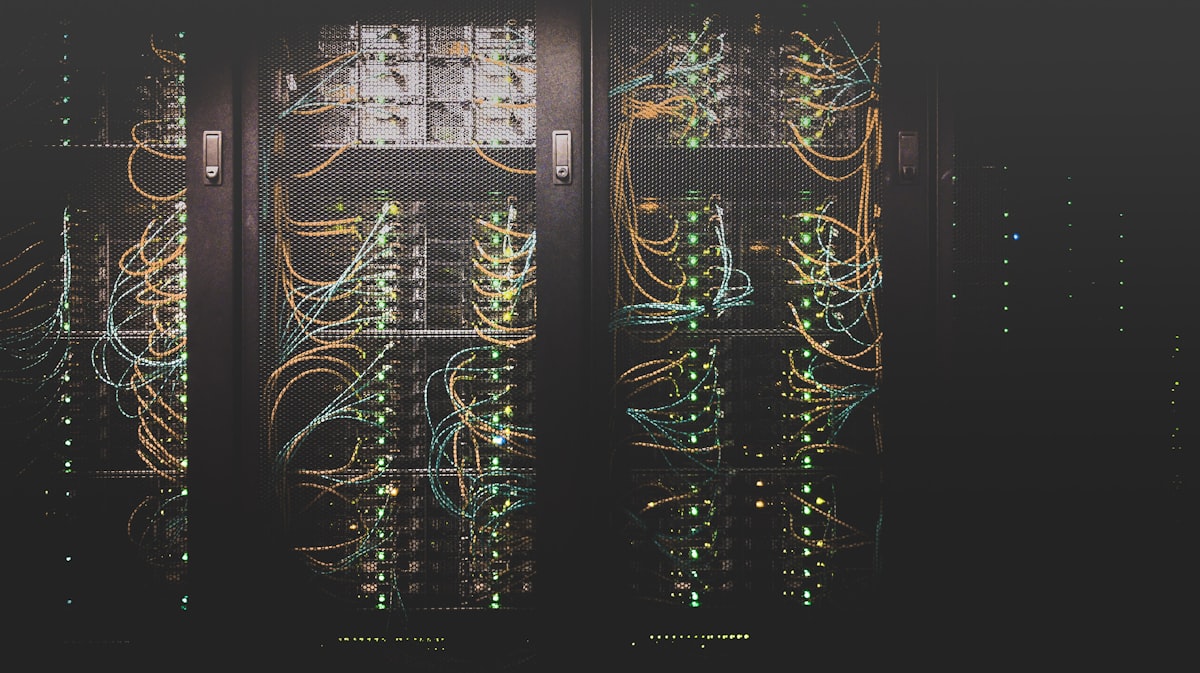
"Digital information is fragile. Without active preservation, it can disappear in years, not centuries."
Think about the last time you saved a file. Maybe it was a document, a photo, or a spreadsheet. You saved it to your computer or your phone. You assumed it would be there when you needed it. But will it?
Digital information is surprisingly fragile. Hard drives fail. Cloud services shut down. File formats become obsolete. Software stops working. Without active effort, digital content can disappear forever, often faster than paper would.
This is where digital preservation comes in. It is the set of strategies and practices designed to ensure that digital information remains accessible and usable over the long term, not just for years, but for decades or centuries.
This post will introduce you to the fundamentals of digital preservation. You will learn why it matters, the main threats to digital content, and the strategies that organizations and individuals can use to protect their digital assets for the future.
1. Why Digital Preservation Matters
We live in an era of unprecedented digital creation. Every day, billions of photos, documents, videos, and messages are created and shared. Much of this content has lasting value—personal memories, business records, cultural heritage, scientific data.
But digital content is not automatically preserved. Unlike physical books that can sit on a shelf for centuries, digital files require active maintenance to remain accessible. Without preservation, they can become unreadable in just a few years.
Historians worry about a "digital dark age", a period where large amounts of digital content are lost because of obsolete formats, failing storage, and lack of preservation. Unlike the paper records of the past, digital records are not automatically durable.
Digital preservation protects cultural heritage, including documents, photographs, oral histories, and art, for future generations. Without it, our digital culture may be lost to time.
Businesses and researchers depend on historical data. Digital preservation ensures that records, research data, and institutional knowledge remain available for future analysis and decision-making.
As archivist and preservation expert Margaret Hedstrom notes: "Digital preservation is not just about saving bits. It is about maintaining the ability to access and use digital information over time." This is a challenge that requires ongoing effort.
2. The Main Threats to Digital Content
Digital content faces many threats. Understanding these threats helps you plan strategies to protect against them.
Hard drives, USB drives, CDs, and DVDs all degrade over time. A hard drive that works today may fail tomorrow. CDs and DVDs have a lifespan of 10–50 years under ideal conditions, often less in real-world storage.
File formats evolve. A document saved in WordPerfect 5.1 (from the 1980s) may be unreadable on modern computers. Software updates, discontinued programs, and proprietary formats all threaten long-term access.
Cloud storage is convenient, but you are relying on a third party. If the service shuts down, changes its terms, or loses your data, you may lose access to your content. Always keep local copies.
Accidental deletion, overwriting, and misplacing files are common causes of data loss. Without backups, these mistakes can be permanent.
Malware, ransomware, and cyberattacks can destroy or lock your digital files. Strong security practices are part of digital preservation.
3. Core Digital Preservation Strategies
Digital preservation is not a single action. It is a set of strategies that work together. Here are the core strategies that organizations and individuals can use.
3.1 The 3-2-1 Backup Rule
The 3-2-1 rule is the foundation of digital preservation. It states:
- 3 copies of your data
- 2 different storage media (e.g., hard drive and cloud)
- 1 copy offsite (in a different location)
This strategy protects against media failure, theft, fire, and other disasters. If one copy is lost, the others remain.
3.2 Format Migration
Format migration involves converting files from older, obsolete formats to newer, more stable ones. For example:
- Convert WordPerfect documents to PDF/A (archival PDF)
- Convert old image formats (BMP, TIFF) to PNG or JPEG
- Convert video files to MP4 (H.264) for long-term access
The goal is to keep your content accessible with current software. Plan to migrate files every 5–10 years, or when formats become obsolete.
3.3 Emulation
Sometimes migrating a file is not possible, especially for software, games, or complex digital objects. Emulation involves recreating the original environment (hardware and software) so the digital object can run as it did originally.
Emulation is complex and resource-intensive, but it is sometimes the only way to preserve certain types of digital content.
3.4 Metadata and Documentation
Metadata is data about data. It describes what a file is, who created it, when it was created, and how it should be used. Without metadata, digital files can become meaningless, even if the bits are preserved.
Good preservation includes creating and maintaining metadata for every digital object. This includes technical metadata (file format, size, checksum) and descriptive metadata (title, author, subject).
3.5 Checksums and Integrity Verification
A checksum is a unique value calculated from a file's contents. If the file changes (even slightly), the checksum changes. By periodically recalculating checksums, you can verify that your files have not been corrupted or altered.
Checksums are a key tool for ensuring the integrity of preserved data.
4. Digital Preservation in Practice
Digital preservation is not just for large institutions. Individuals, small businesses, and community organizations can all take steps to protect their digital assets.
For Individuals
- Back up personal photos and documents using the 3-2-1 rule
- Use common, open file formats (PDF, PNG, MP4)
- Store important files in multiple locations
- Review and migrate files every few years
For Small Businesses
- Document your backup and preservation policies
- Train staff on proper file management
- Use cloud backup plus local storage
- Regularly test your ability to restore files
For Community Organizations
- Preserve local heritage (photos, oral histories, documents)
- Create digital archives with metadata
- Partner with libraries or archives for expertise
- Plan for long-term storage and access
5. Common Digital Preservation Mistakes
Even with good intentions, preservation efforts can go wrong. Here are the mistakes to avoid.
Academic Foundation
Digital preservation is a well-established field with a growing body of research. According to Hedstrom (1997), digital preservation is "the planning, resource allocation, and application of preservation methods and technologies necessary to ensure that digital information of continuing value remains accessible and usable."
Conway (2010) emphasizes that preservation is not a one-time activity but an ongoing process. He argues that "preservation is a management function, not a technical one", requiring policy, planning, and resources, not just technology.
More recently, Corrado and Sandy (2017) have highlighted the importance of digital preservation for cultural heritage, research, and business. They argue that "preservation is not just about saving the past—it is about ensuring the future."
Final Thoughts
Digital preservation is not just a technical challenge. It is a responsibility. Our digital content—our documents, photos, research, and cultural heritage, has value. Without active preservation, that value can be lost forever.
You do not need to be a large institution to practice digital preservation. Start with the 3-2-1 backup rule. Use common file formats. Document your files with metadata. Test your backups. These simple steps can make a big difference.
The digital age has given us unprecedented ability to create and share information. It has also given us unprecedented responsibility to preserve it. Let us not lose our digital heritage to neglect.
Your Turn
How many copies of your most important digital files do you have? Where are they stored? Take a moment to assess your own preservation practices. What is one change you could make this week? Share your answer in the comments below.
NEXT IN THIS SERIES
Digital Business Models: Monetization Strategies
How to turn digital content and services into sustainable revenue.
📚 References:
Conway, P. (2010). Preservation in the age of Google: Digitization, digital preservation, and dilemmas. The Library Quarterly, 80(1), 61–79.
Corrado, E. M., & Sandy, H. M. (2017). Digital Preservation for Libraries, Archives, and Museums (2nd ed.). Rowman & Littlefield.
Hedstrom, M. (1997). Digital preservation: A time bomb for digital libraries. Computers and the Humanities, 31(3), 189–202.
📍 Published: September 2026 | Part of the "Digital Skills Essentials" series | Get-Inform



0 Comments